// for windows 10 & 11 — built with winui 3

Every wireless device's charge. One window.

Controllers Battery Indicator reads the battery level of the devices already connected to your PC — controllers, mice, keyboards, headsets — and keeps it in a list, in the system tray, on the taskbar, and in notifications.

// supported controllers

DualSense

ps5 · bt classic

Xbox X|S

ble · exact level

DualShock 4

ps4 · bt classic

Xbox One

xinput / ble by firmware

Xbox 360

dongle · xinput

3rd-party

hid / xinput

// other wireless devices

Headsets

bt battery service

AirPods

each bud + case

Mice

hid / ble

Keyboards

bt / ble

Other

any ble device

01

Built for controllers first

Gamepads are why the app exists. How the charge is read depends on the controller and its connection — CBI picks the right protocol automatically and tells you what it is showing.

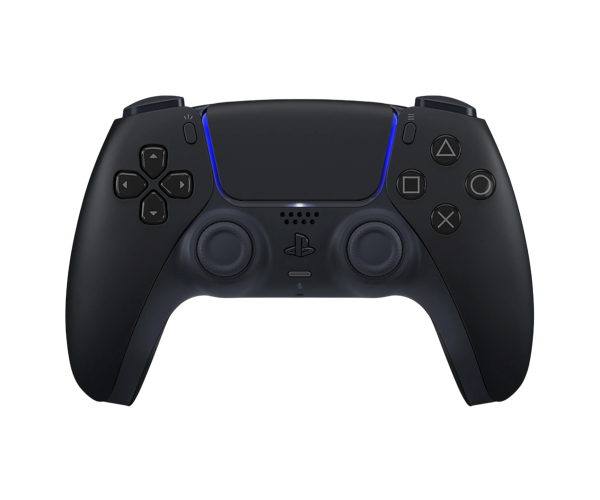
PlayStation 5 DualSense controller

// playstation 5

DualSense

Sony's PS5 controller reports its charge over classic Bluetooth — CBI picks it up as soon as the pad pairs, no extra software or drivers involved.

Connection
Bluetooth Classic
Battery data
HID battery report
Accuracy
Exact level
Also shown
Manufacturer · model · firmware
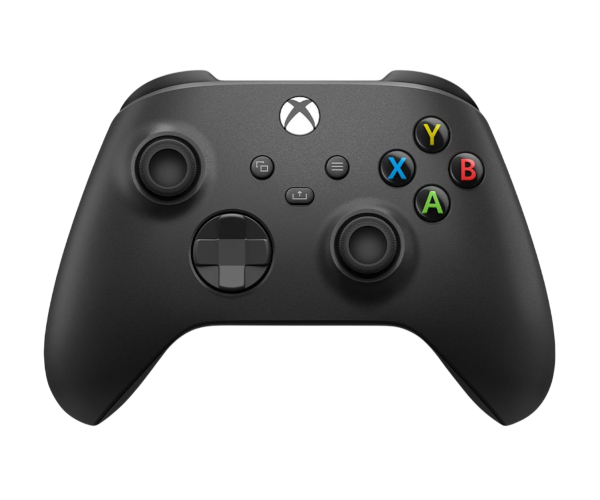
Xbox Wireless Controller for Xbox Series X|S

// xbox series x|s

Xbox Series X|S controllers

Current-generation Xbox controllers report battery over Bluetooth Low Energy, so CBI shows the exact charge level — no estimates.

Connection
Bluetooth LE
Battery data
BLE battery service
Accuracy
Exact level
Also shown
Firmware · VID:PID · BT address
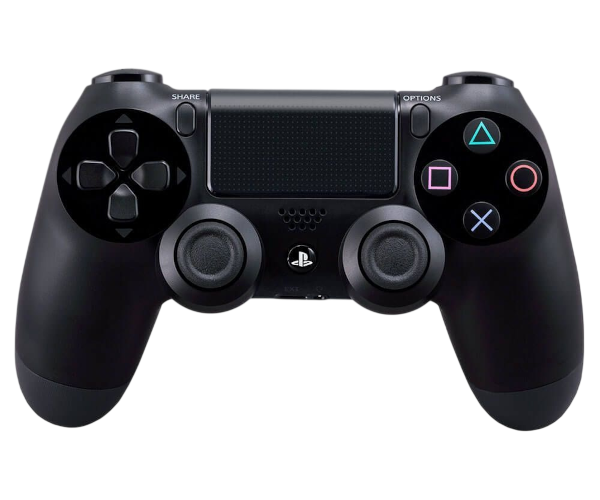
PlayStation 4 DualShock 4 controller

// playstation 4

DualShock 4

The PS4 controller works the same way: pair it once and its battery level appears in the list and in the tray, next to your other devices.

Connection
Bluetooth Classic
Battery data
HID battery report
Accuracy
Exact level
Variants
CUH-ZCT1 / ZCT2 and clones
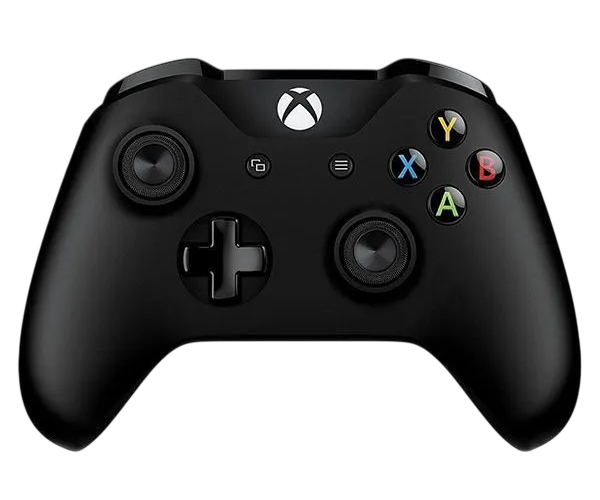
Xbox One wireless controller

// xbox one

Xbox One controllers

Depends on the firmware. Older firmware works through XInput and reports an approximate charge. Since firmware 5.11.3116.0 the controller switches to BLE and reports the exact level — CBI handles both modes.

Connection
Bluetooth LE / XInput
Firmware < 5.11.3116.0
XInput · approximate
Firmware ≥ 5.11.3116.0
BLE · exact
Also shown
Firmware version · hardware IDs
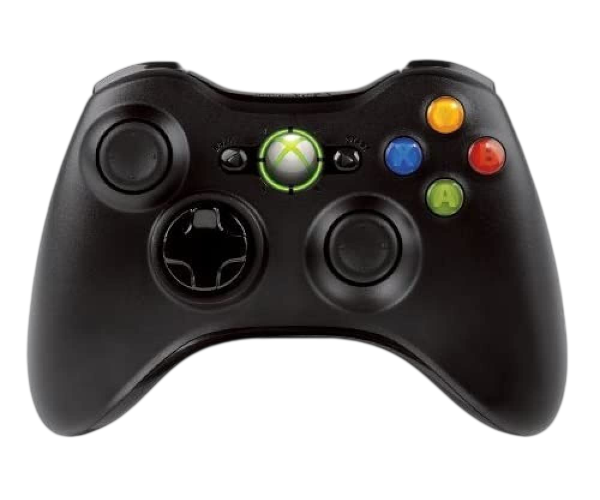
Xbox 360 wireless controller

// xbox 360

Xbox 360 controllers

Wireless Xbox 360 controllers connect through the official Xbox 360 Wireless Receiver dongle. The battery data comes over XInput, so the charge shown is approximate.

Connection
Xbox 360 Wireless Receiver
Battery data
XInput
Accuracy
Approximate level
Note
Wired 360 pads have no battery

// third-party

Other controllers

8BitDo, PowerA and other third-party pads work too, as long as they report battery over the standard HID battery report — with XInput as a fallback for approximate levels.

Connection
Bluetooth / USB receivers
Battery data
HID battery report
Fallback
XInput · approximate
Setup
None — detected automatically
02

…and everything else that reports a battery

Anything that implements the standard Bluetooth Battery Service or HID battery reports shows up automatically — no per-device setup.

Headsets & headphones

Bluetooth headphones and gaming headsets with a battery service

AirPods & earbuds

Charge of each earbud and of the charging case, shown separately

Mice

Wireless mice that expose battery status over HID or BLE

Keyboards

Bluetooth and BLE keyboards

Other wireless devices

Anything implementing the standard Bluetooth Battery Service

03

Features

Full device list

All wireless devices in one window, grouped by type — controllers, headsets, keyboards, mice and more.

Device info

Connection type, manufacturer, model, firmware version and hardware IDs for every device.

Usage graphs & uptime

Battery drain graphs over time and session uptime — see how fast each device actually discharges.

Bluetooth management

Add, disconnect and remove Bluetooth devices right from the app, using the native Windows stack.

Notifications

Alerts on device connect and disconnect, plus warnings when a battery gets low — and when it gets critical.

Taskbar widgets

Pin device battery widgets straight onto the Windows taskbar — the charge is visible without opening anything.

04

The interface

A native WinUI 3 app that follows the Fluent Design language — light and dark themes, Mica, and a layout that stays out of the way.

screenshot · coming soon

fig. 1 — all devices, one list

screenshot · coming soon

fig. 2 — battery graphs & uptime

screenshot · coming soon

fig. 3 — taskbar widgets

Proprietary radio devices IN DEVELOPMENT

Devices that connect over their own 2.4 GHz radio dongles (instead of Bluetooth) do not expose battery data to Windows, so CBI cannot show their charge yet. Support for these devices is in development.

05

FAQ

How does the app get battery levels?

CBI reads the battery reports that devices already send to Windows — standard HID battery reports and the Bluetooth Battery Service. For older Xbox controllers it falls back to XInput. No extra drivers or device modifications are required.

Why is my Xbox One controller's charge approximate?

Xbox One controllers on firmware older than 5.11.3116.0 report battery over XInput, which only provides a rough level. Update the controller firmware through the Xbox Accessories app and CBI will switch to the exact BLE reading.

My device is not listed. Will it work?

If it reports its battery over the standard Bluetooth Battery Service or HID battery reports — most likely yes. The app detects such devices automatically.

What about devices with a 2.4 GHz USB dongle?

Proprietary radio connections do not expose battery data to Windows yet, so their charge cannot be shown. This is being worked on — see the note above.

How do I get updates?

The app is distributed through Steam, so updates are delivered automatically through your Steam library.

06

Get it on Steam

One purchase, automatic updates through Steam, Windows 10 and 11.